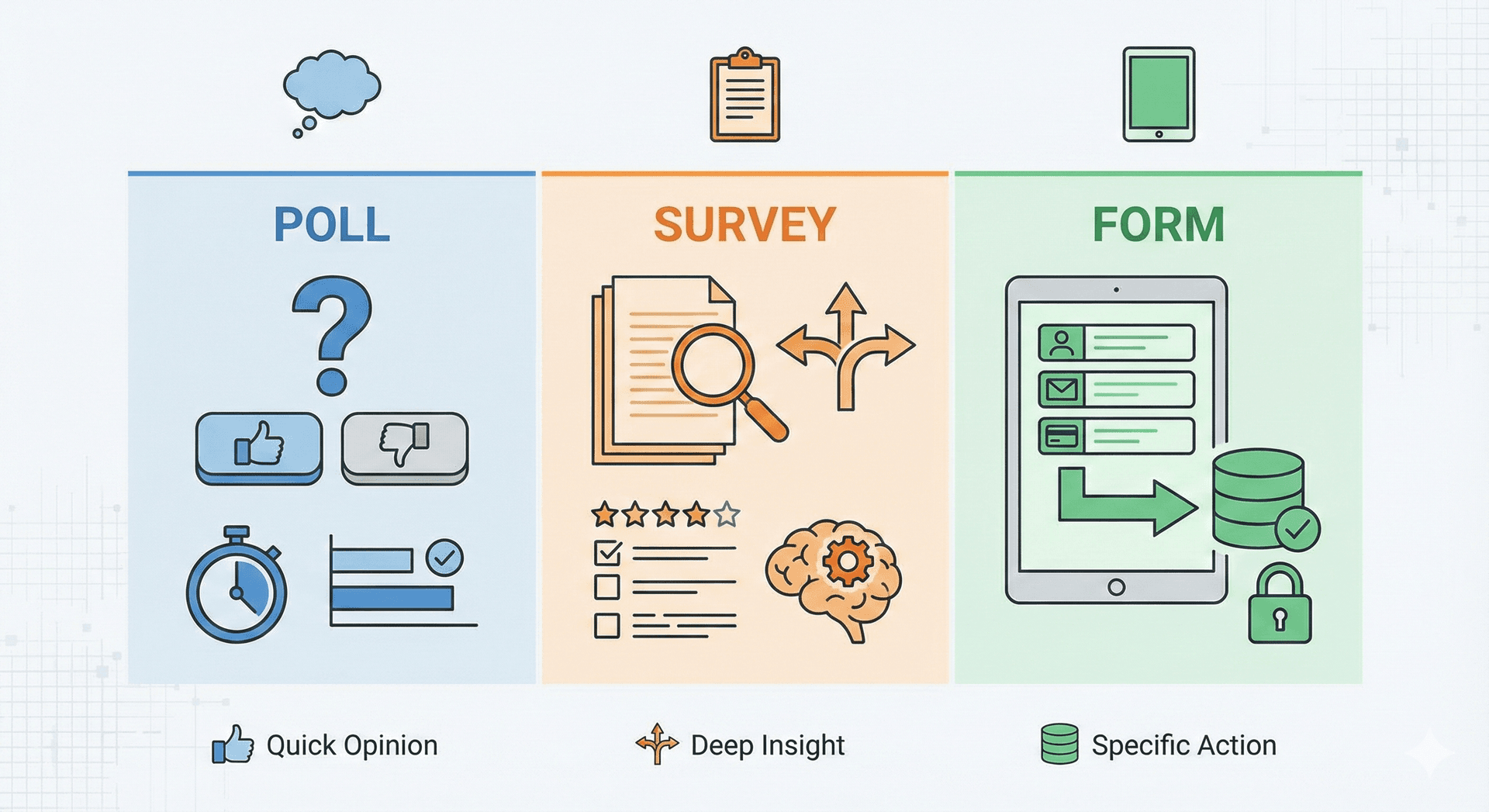
While Surveys, Polls, and Forms all serve the fundamental purpose of gathering information, they are designed for different objectives, levels of detail, and types of data. Choosing the right tool ensures you get the most accurate, useful, and actionable results while respecting your respondent's time.
1. The Poll: Capturing Quick Opinion
A Poll is the simplest and fastest data collection method. It's designed to capture a single, specific opinion or preference from a broad audience with minimal effort.
Key Characteristics:
- Goal: To gauge public sentiment or check a quick preference.
- Length: One (or sometimes two) questions only.
- Data Type: Quantitative data, often anonymous, reflecting a simple choice or vote.
- Analysis: Quick tallying of votes and percentages for immediate results.
- Question Format: Almost always closed-ended (e.g., Yes/No, multiple-choice).
When to Use a Poll
- Engagement: To break the ice during a webinar or on social media (e.g., Instagram Stories). To encourage fast, high-volume interaction and gather instant sentiment.
- Decision Making: To settle a quick debate (e.g., "Should we order Pizza or Tacos for lunch?"). To get immediate feedback for simple, short-term decisions.
- Sentiment Analysis: To get a quick read on a specific topic (e.g., "Are you confident in the current market?"). To quickly assess the most popular choice among a group.
Best Practice: Keep polls binary (Yes/No) or limited to 3–4 options to prevent choice paralysis.
2. The Form: "The Transaction"
Forms are functional. Unlike surveys and polls, which ask for opinions, forms ask for specific data needed to complete a process or transaction.
Characteristics
- Required Fields: Specific data points (Name, Email, Address) are mandatory.
- Static Nature: The questions rarely change based on the user's opinion.
- Action-Oriented: Completing a form usually triggers a workflow (e.g., sending an email, processing a payment, registering a user).
When to Use a Form
- Lead Generation: "Sign up for our newsletter." To capture contact information (Name, Email) for follow-up.
- Registration: Event sign-ups or webinar registration. To collect specific details required for entry or enrollment.
- Support: IT ticketing systems or customer support requests.
- Job Applications: Collecting resumes and cover letters.
- Orders & Payments: Checkout processes. To collect billing, shipping, and order-specific details.
Best Practice: Use "inline validation." If a user types an invalid email address, tell them immediately, not after they hit submit.
3. The Survey: "The Deep Dive"
Surveys are designed for research. They are used when you need to understand the why behind the what. They collect a mix of quantitative (numbers) and qualitative (text) data.
Characteristics
- Multi-Page/Multi-Question: Can range from 5 to 50+ questions.
- Logic & Branching: Users might see different questions based on previous answers.
- Anonymity: often prioritized to encourage honest feedback.
When to Use a Survey
- Customer Satisfaction: Measuring Net Promoter Score (NPS) or CSAT. To understand the why behind satisfaction and identify areas for product/service improvement.
- Market Research: Understanding product viability or user demographics. To explore complex topics, uncover market gaps, and validate business hypotheses.
- Employee Feedback: Annual engagement surveys or 360-degree reviews. To gain a holistic view of the employee experience across multiple dimensions.
- Academic Research: Gathering data for studies or thesis work.
Summary: Which Should You Choose?
- Choose a Poll if: You need high engagement, instant results, and only have one simple question to ask.
- Choose a Survey if: You need to find patterns, understand customer sentiment, or make strategic decisions based on data analysis.
Choose a Form if: You need specific information from a specific person to perform a specific task (registration, payment, signup).While Surveys, Polls, and Forms all serve the fundamental purpose of gathering information, they are designed for different objectives, levels of detail, and types of data. Choosing the right tool ensures you get the most accurate, useful, and actionable results while respecting your respondent's time.
1. The Poll: Capturing Quick Opinion
A Poll is the simplest and fastest data collection method. It's designed to capture a single, specific opinion or preference from a broad audience with minimal effort.
Key Characteristics:
- Goal: To gauge public sentiment or check a quick preference.
- Length: One (or sometimes two) questions only.
- Data Type: Quantitative data, often anonymous, reflecting a simple choice or vote.
- Analysis: Quick tallying of votes and percentages for immediate results.
- Question Format: Almost always closed-ended (e.g., Yes/No, multiple-choice).
When to Use a Poll
- Engagement: To break the ice during a webinar or on social media (e.g., Instagram Stories). To encourage fast, high-volume interaction and gather instant sentiment.
- Decision Making: To settle a quick debate (e.g., "Should we order Pizza or Tacos for lunch?"). To get immediate feedback for simple, short-term decisions.
- Sentiment Analysis: To get a quick read on a specific topic (e.g., "Are you confident in the current market?"). To quickly assess the most popular choice among a group.
Best Practice: Keep polls binary (Yes/No) or limited to 3–4 options to prevent choice paralysis.
2. The Form: "The Transaction"
Forms are functional. Unlike surveys and polls, which ask for opinions, forms ask for specific data needed to complete a process or transaction.
Characteristics
- Required Fields: Specific data points (Name, Email, Address) are mandatory.
- Static Nature: The questions rarely change based on the user's opinion.
- Action-Oriented: Completing a form usually triggers a workflow (e.g., sending an email, processing a payment, registering a user).
When to Use a Form
- Lead Generation: "Sign up for our newsletter." To capture contact information (Name, Email) for follow-up.
- Registration: Event sign-ups or webinar registration. To collect specific details required for entry or enrollment.
- Support: IT ticketing systems or customer support requests.
- Job Applications: Collecting resumes and cover letters.
- Orders & Payments: Checkout processes. To collect billing, shipping, and order-specific details.
Best Practice: Use "inline validation." If a user types an invalid email address, tell them immediately, not after they hit submit.
3. The Survey: "The Deep Dive"
Surveys are designed for research. They are used when you need to understand the why behind the what. They collect a mix of quantitative (numbers) and qualitative (text) data.
Characteristics
- Multi-Page/Multi-Question: Can range from 5 to 50+ questions.
- Logic & Branching: Users might see different questions based on previous answers.
- Anonymity: often prioritized to encourage honest feedback.
When to Use a Survey
- Customer Satisfaction: Measuring Net Promoter Score (NPS) or CSAT. To understand the why behind satisfaction and identify areas for product/service improvement.
- Market Research: Understanding product viability or user demographics. To explore complex topics, uncover market gaps, and validate business hypotheses.
- Employee Feedback: Annual engagement surveys or 360-degree reviews. To gain a holistic view of the employee experience across multiple dimensions.
- Academic Research: Gathering data for studies or thesis work.
Summary: Which Should You Choose?
- Choose a Poll if: You need high engagement, instant results, and only have one simple question to ask.
- Choose a Survey if: You need to find patterns, understand customer sentiment, or make strategic decisions based on data analysis.
- Choose a Form if: You need specific information from a specific person to perform a specific task (registration, payment, signup).