Build & prepare your surveys
Where surveys are created and prepared. Bring your audience, contacts, and forms together — from a first draft to a survey that's ready to go, all in one place.
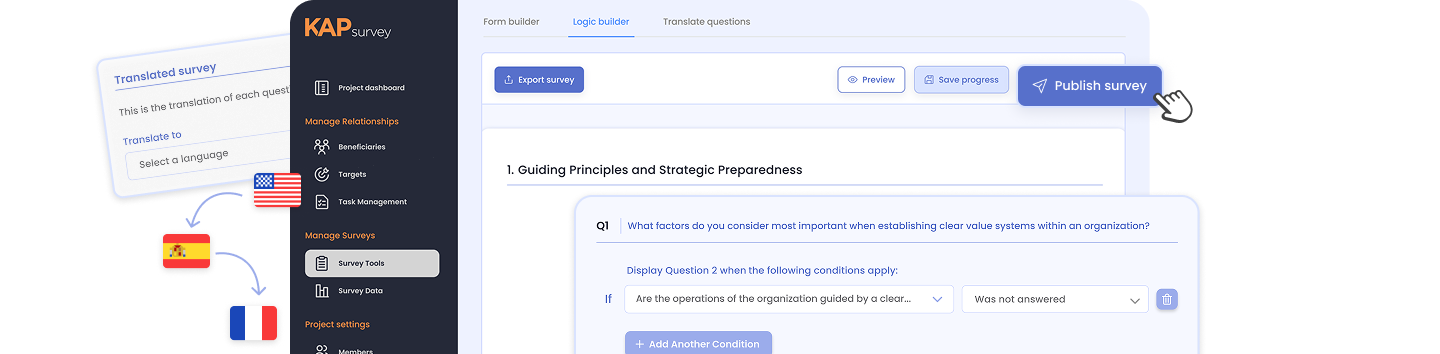

Everything you need to get a survey ready
Define who you're surveying, keep their context close, and design a form that adapts to every answer — in any language, online or offline.
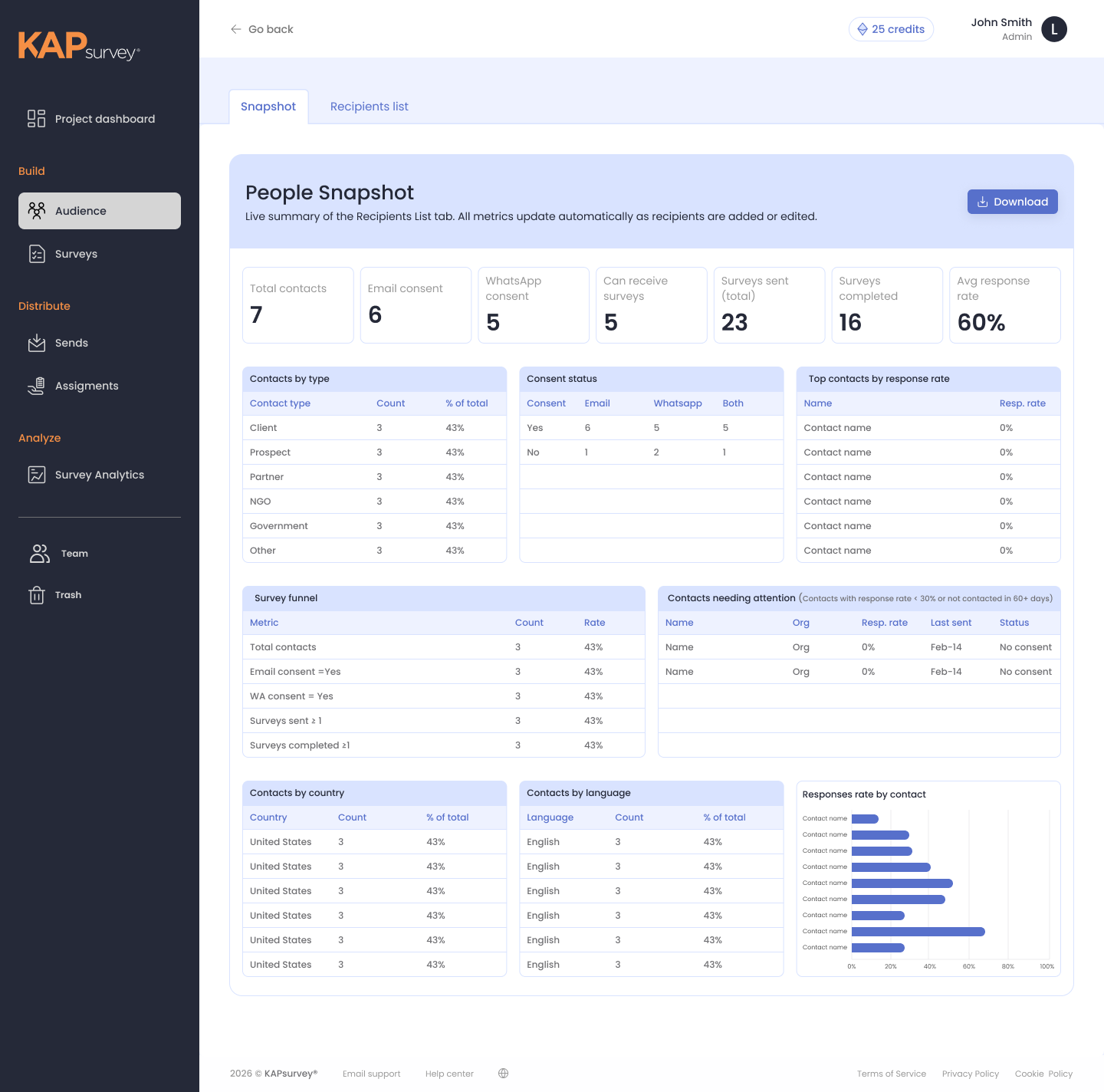
Audience
Build your contact database by importing a list and choosing the template that fits — a general People template, or a specialized Humanitarian template with fields for households and demographics.
- Snapshot dashboard: Every audience gets its own overview — total contacts, gender breakdown, household size, and more — alongside an editable recipient list.
- Ready to reach: Connect an audience directly to your distribution channels — Email, SMS, WhatsApp, Viber, or Telegram — so you can reach that exact group with one click.
Contacts, programs, and templates

CRM
Keep track of contacts and their history, so every survey reaches the right people with the right context behind them.

Field & Program Management
Purpose-built tools for teams running structured field programs — tracking participants, running needs assessments, and monitoring progress, with full offline and multilingual support.
Template Library
Start from professionally made templates or save your own, then adapt them to fit your needs.
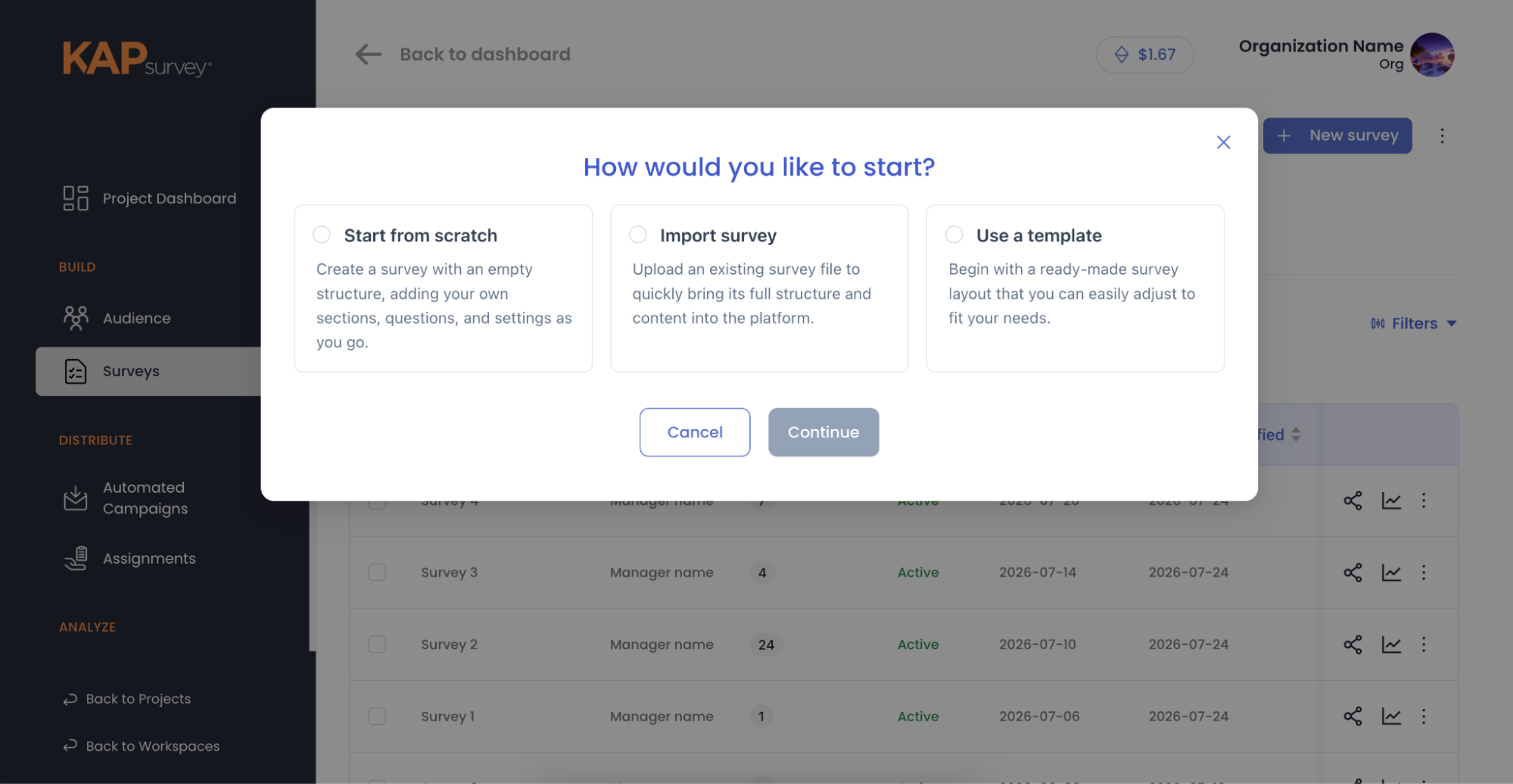
Survey Builder
Start three ways: build from scratch with our advanced form builder, import an existing survey, or launch from the Template Library.
- Adaptive & multilingual: Add skip logic so your survey adapts to each answer, translate with built-in AI or by hand, and save drafts to pick up right where you left off.
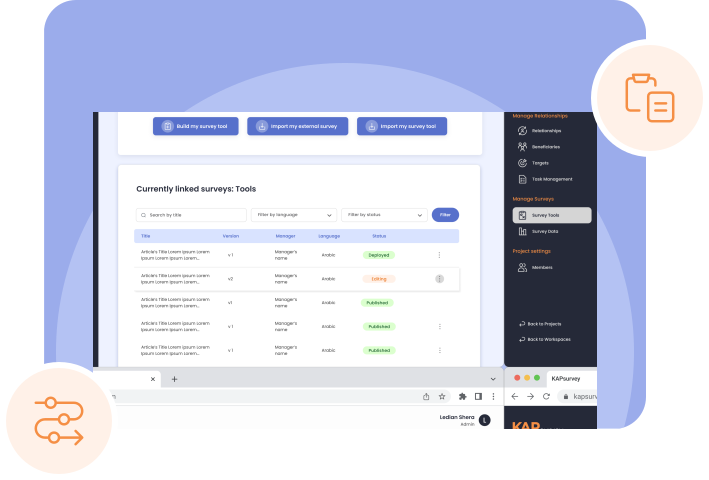
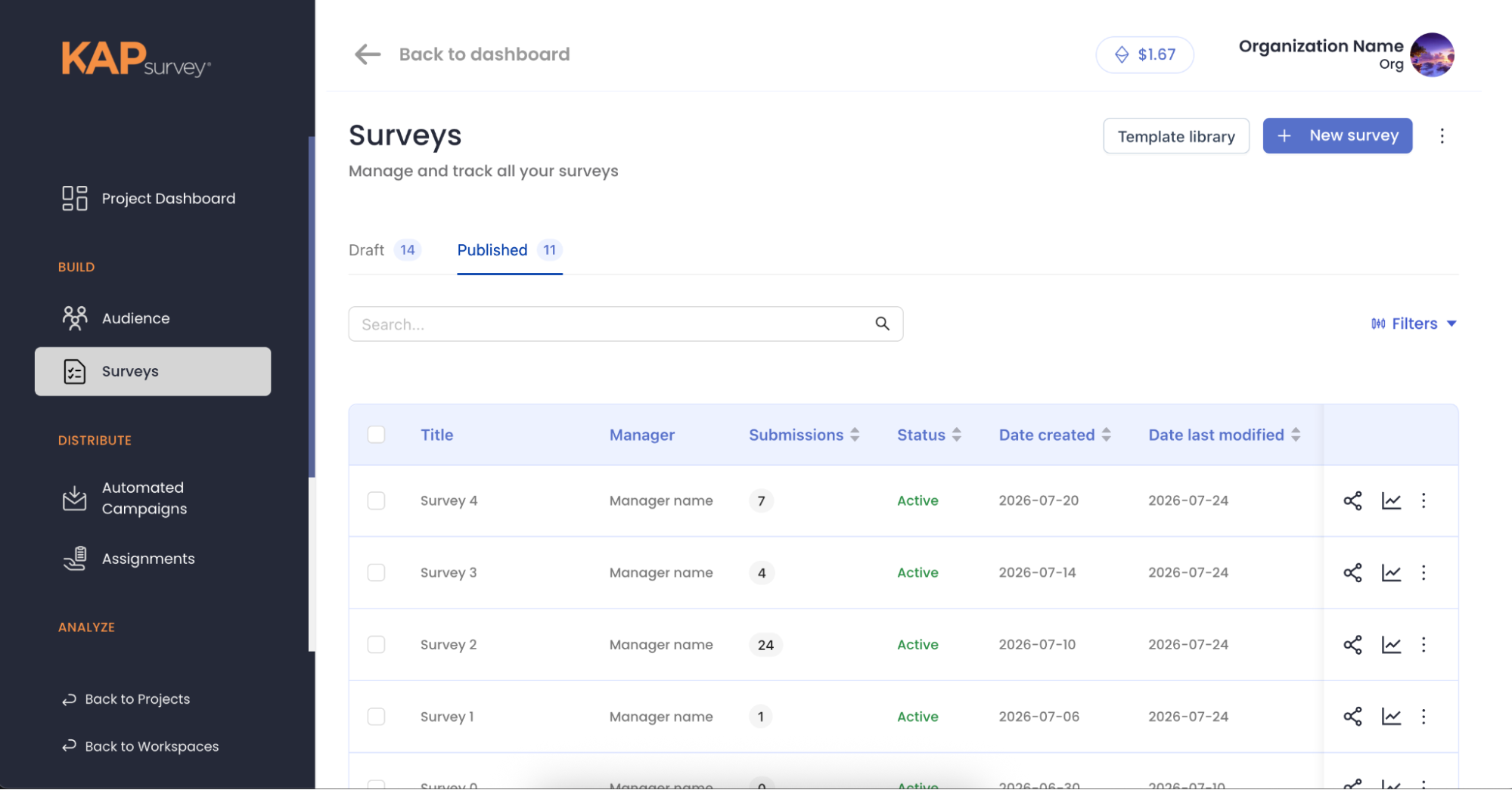
- Track every survey: Follow each survey — draft or published — by manager, submissions, status, and language.
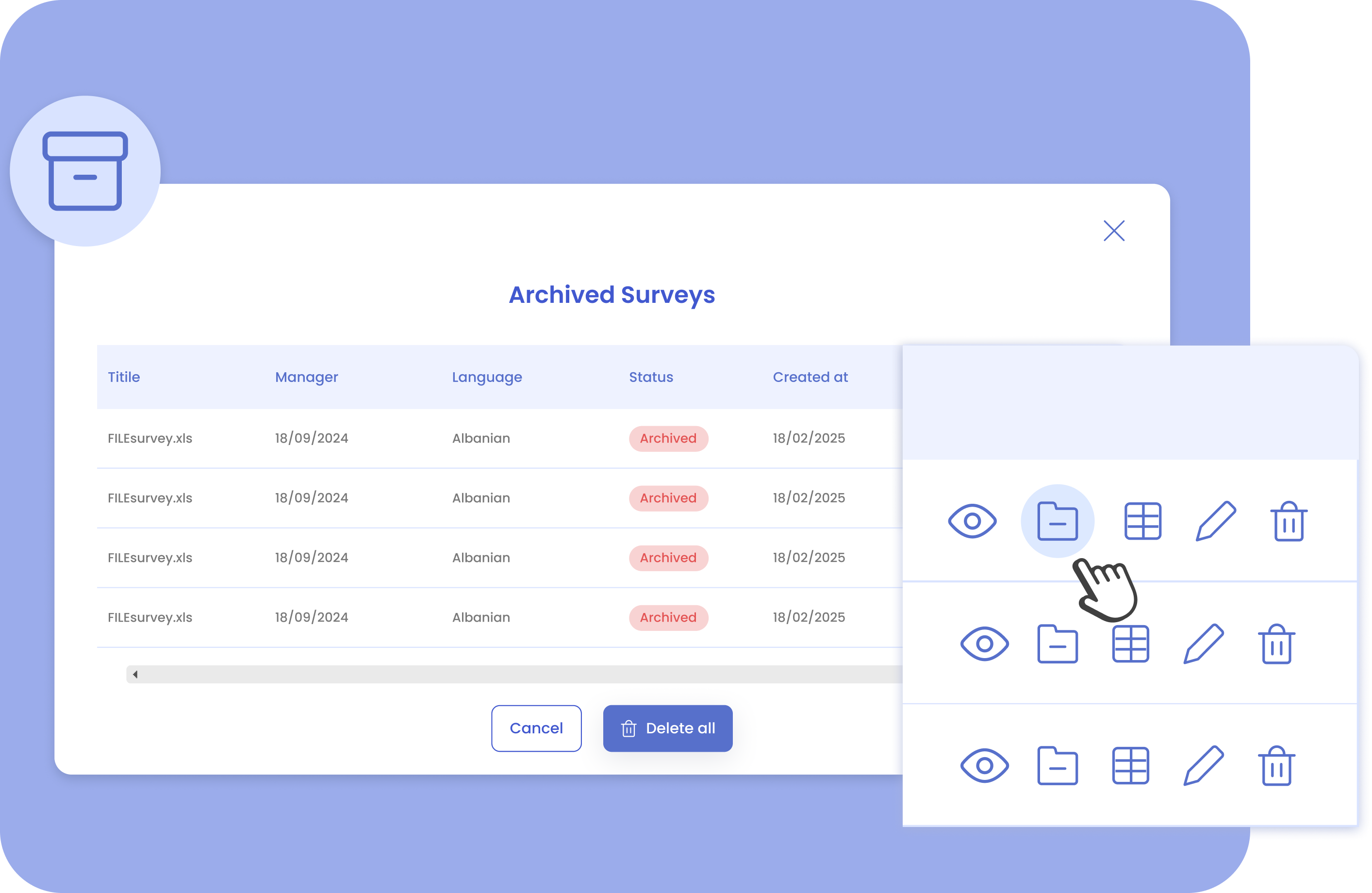
- Manage from the list: Share it, highlight key answers, jump into analytics, turn it into a reusable template, or archive it — with a dedicated Archived Surveys view to find it again later.
Publishing Options
Choose how responses are collected, then reach further — all from one screen.
- One response per person: Clean data with a single response from each participant.
- Multiple responses per link: Open collection for wider, self-served reach.
- Kiosk Mode: Turn any device into a shared response station at an event or site visit. Every mode comes with an instant copy-link and QR code, and you can start a campaign or assign the survey to your team right away.
Project Dashboard
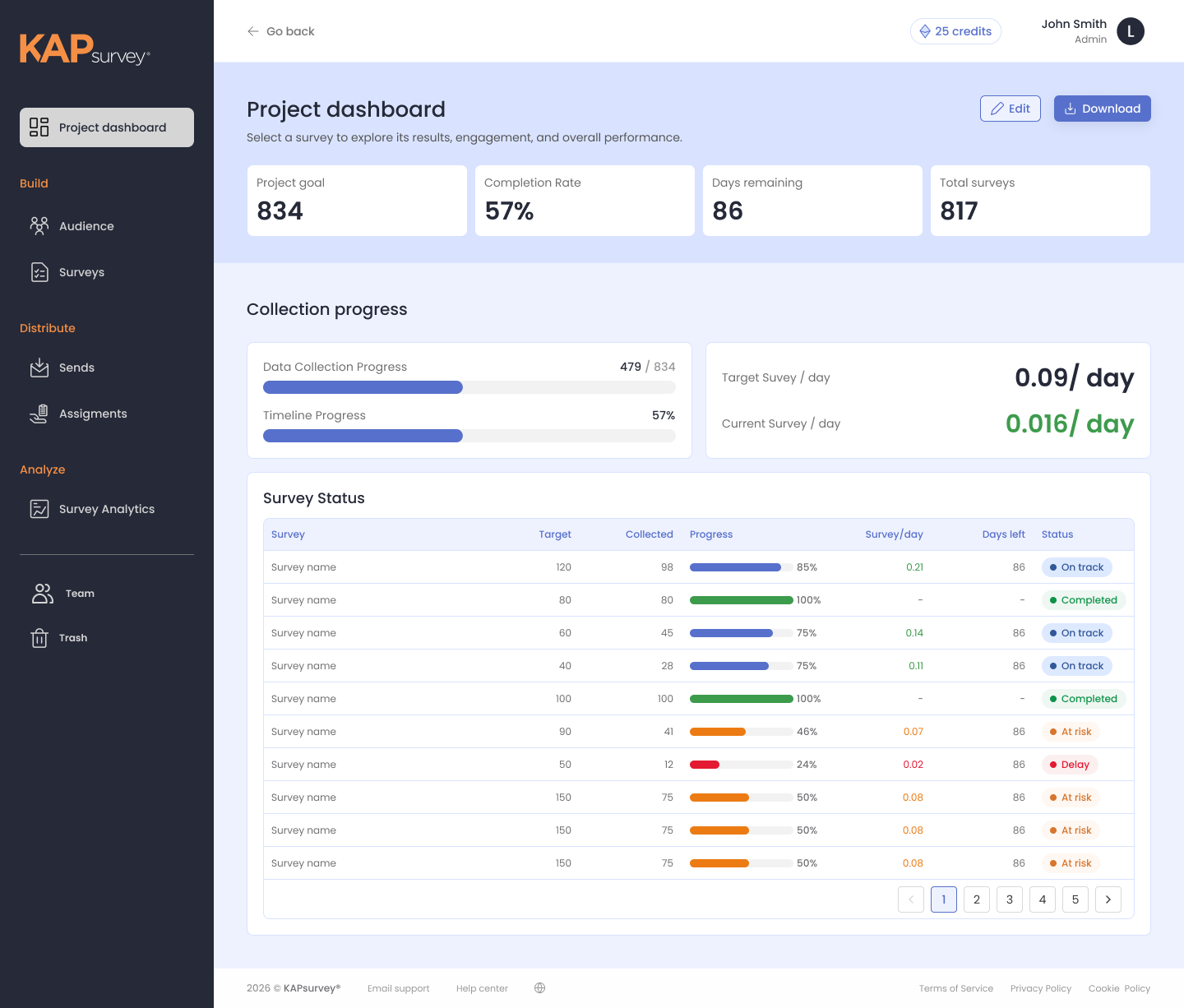
See your project's status at a glance — goal progress, completion rate, and days remaining, all in one view.
- Pace against target: Track collection pace against your goal (surveys per day, planned vs. actual).
- Status at a glance: See every survey as on track, at risk, delayed, or completed — so you know exactly where to step in before a deadline slips.
Competitive Comparison
Logic & Personalization
The KAPsurvey advanced logic builder surpasses standard offerings from competitors platforms, enabling truly dynamic and personalized surveys.

AI-Powered Translation
KAPsurvey offers rapid AI-powered translation, significantly accelerating multilingual survey deployment.
Workflow Clarity
Separate your workflow by dividing draft from published surveys easily.